

Jensen JCV1640BT Radio Replacement

The Jensen JCV1640BT has been discontinued and is no longer available from Heavy Duty Radios. This page is retained for owners searching for specifications, Bluetooth pairing instructions, the owner’s manual and current replacement information.
DISCONTINUED
CURRENT REPLACEMENT
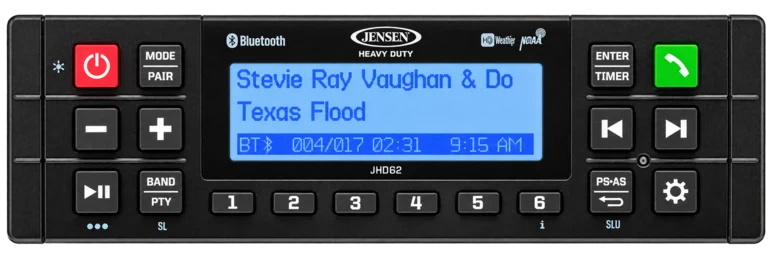
The JHD62 also adds app-control capability, a weather-resistant front panel and modern Bluetooth operation for tractors, construction equipment, commercial vehicles and other demanding applications.
Why Replace the JCV1640BT With the JHD62?
The JHD62 provides the same essential AM/FM, Weatherband and Bluetooth functions in a newer, shallower radio designed to accommodate more equipment applications. However, the two radios are not identical.
- Shorter chassis depth fits more equipment applications.
- Does not support SiriusXM satellite radio.
- USB connection is located on a rear pigtail.
- Rear USB provides 1-amp device charging only and does not play USB music files.
- The discontinued JCV1640BT had a front USB input and supported satellite radio.
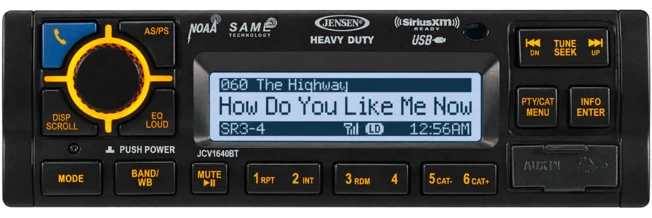


Original Jensen JCV1640BT Features and Specifications
• 180 watts maximum power—45 watts × 4 channels
• 12-volt DC, three-wire power system
• Electronic AM/FM tuner with U.S. and European frequency selection
• Seven-channel NOAA Weatherband with S.A.M.E. alerts
• Bluetooth music streaming and hands-free calling
• SiriusXM-ready with a separate tuner and subscription
• Front USB input for MP3 and WMA music playback
• Front and rear auxiliary audio inputs
• PA-ready with an optional microphone
• RBDS with PTY search
• Five equalizer settings
• Full dot-matrix LCD
• 12- or 24-hour clock with alarm
• Non-volatile memory for presets and audio settings
• Overall dimensions: 7.4 inches wide × 2.1 inches high × 6.3 inches deep
Bluetooth Pairing Directions
1. Turn on the radio and the Bluetooth function on your phone.
2. Press MODE until the radio enters BT Audio mode.
3. Open the radio’s Bluetooth menu and select BT Pair.
4. Press the INFO/ENTER button to begin pairing.
5. On your phone, search for available Bluetooth devices.
6. Select JCV1640BT from the device list.
7. If a password is requested, enter 0000.
8. The Bluetooth symbol will appear on the radio display after the connection is completed.
If the radio does not appear on your phone, remove any previously saved JCV1640BT connection from the phone and repeat the pairing procedure.
Frequently Asked Questions
Is the Jensen JCV1640BT still available?
No. The Jensen JCV1640BT has been discontinued and is no longer available from Heavy Duty Radios.
What is the recommended replacement for the JCV1640BT?
The Jensen JHD62 is our recommended current replacement. It provides AM/FM, Weatherband, Bluetooth music streaming and hands-free calling in a shallower chassis.
Will the JHD62 fit the same opening?
Both radios use a standard single-DIN mounting opening. However, wiring connections and installation requirements should always be confirmed before ordering. They both share the same ISO radio connection.
Does the JHD62 support SiriusXM satellite radio?
No. Unlike the JCV1640BT, the JHD62 does not support SiriusXM satellite radio.
Can the JHD62 play music from a USB drive?
No. The JHD62 rear-pigtail USB connection supplies 1-amp device charging only. Bluetooth should be used to play music from a phone.
Where can I find the JCV1640BT wiring diagram?
The original owner’s manual contains the wiring diagram, installation instructions and operating information.
Ready to Replace Your JCV1640BT?
The Jensen JHD62 provides modern Bluetooth audio, hands-free calling, AM/FM and Weatherband reception in a shorter chassis that fits more equipment applications.