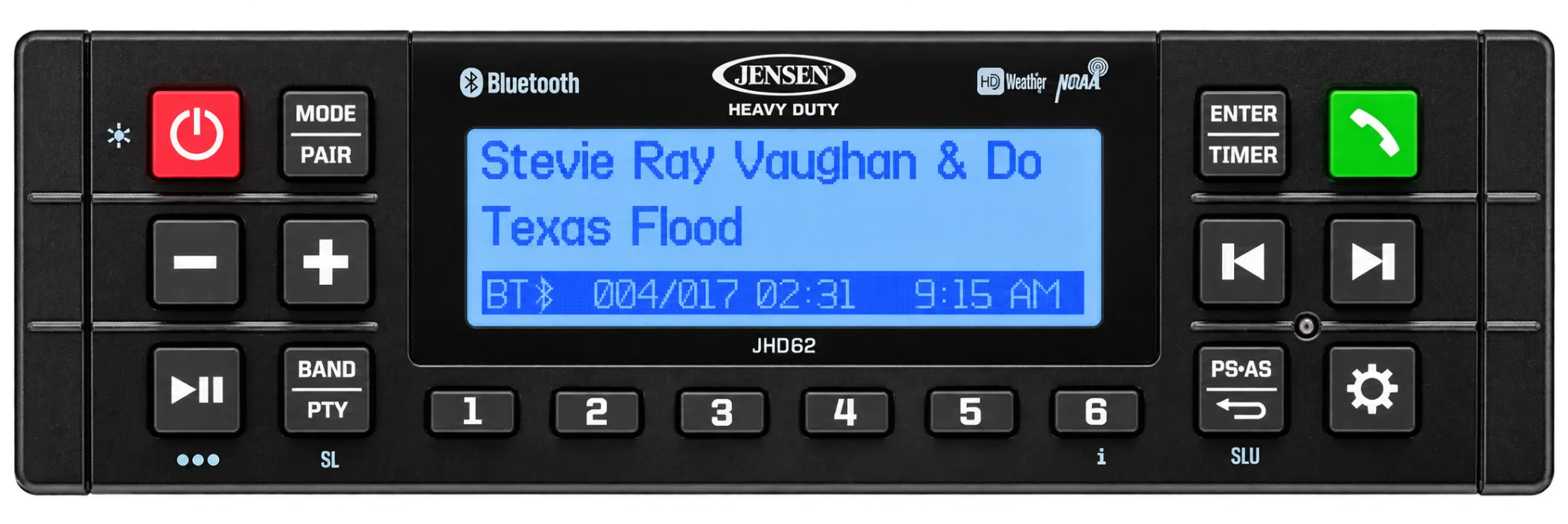
Jensen JHD36A Radio Replacement
The Jensen JHD36A has been discontinued and is no longer available from Heavy Duty Radios. This page is retained for owners searching for specifications, Bluetooth pairing instructions, the owner’s manual and current replacement information.
DISCONTINUED
CURRENT REPLACEMENT
The Jensen JHD62 is our recommended current replacement for the discontinued JHD36A. It provides 180 watts of maximum power, AM/FM and Weatherband reception, Bluetooth music streaming and hands-free calling in a durable heavy-duty radio.
The JHD62 also provides app-control capability, a weather-resistant front panel and a shorter chassis depth that accommodates more tractors, construction equipment, commercial vehicles and other applications with limited mounting space.

Why Replace the JHD36A With the JHD62?
• Shorter chassis depth fits more equipment applications.
• Does not include a CD player.
• Does not support SiriusXM satellite radio.
• USB connection is located on a rear pigtail.
• Rear USB provides 1-amp device charging only and does not play USB music files.
• The discontinued JHD36A had a CD player, front USB music playback and SiriusXM capability.
Original Jensen JHD36A Features
The discontinued JHD36A was a heavy-duty CD radio designed for tractors, construction equipment, commercial vehicles and other demanding applications.
- AM/FM and NOAA Weatherband reception
- Bluetooth audio streaming
- Bluetooth hands-free calling
- Built-in CD player
- SiriusXM satellite-radio ready
- Front USB music playback
- Front auxiliary audio input
- 180 watts maximum power—45 watts × 4 channels
- Jensen jHD Control app compatible
- Daylight-readable display
- Weather-resistant front panel
- Electronic audio controls
- Clock with alarm and sleep timer
- Bluetooth hands-free calling with optional JMICHFP microphone


How to Pair Bluetooth With the JHD36A
2. Press MODE on the JHD36A until Bluetooth Audio mode is selected.
3. Press and hold PTY/CAT/MENU to open the radio menu.
3. Use the TUNE/SEEK buttons to locate BT Pair.
5. Press INFO/ENTER to begin pairing.
6. On your phone, search for available Bluetooth devices.
7. Select JHD36A from the device list.
7. If a password is requested, enter 0000.
After pairing is complete, the Bluetooth Audio symbol will appear on the radio display. The JHD36A can remember as many as five paired devices.

Frequently Asked Questions
Is the Jensen JHD36A still available?
What is the recommended replacement for the JHD36A?
Is the JHD62 a direct plug-and-play replacement?
Does the JHD62 have a CD player or SiriusXM capability?
Why does Bluetooth not appear on my JHD36A?
Is the optional microphone required for Bluetooth?
Where can I find the JHD36A owner’s manual?